


Key takeaways
- Neither fully sitting nor fully standing is ideal; the goal is to change posture several times a day.
- Height-adjustable desks give you both positions in one unit, which is why most buyers choose them over a fixed standing desk.
- Mayo Clinic reports that sitting more than eight hours a day with no activity carries a mortality risk similar to obesity and smoking.
- Budget for a monitor arm, a supportive chair and an anti-fatigue mat, not just the desk itself.
- Match the choice to the job: fixed sitting desks suit heavy paperwork roles, adjustable desks suit mixed desk work.
For most office work, the better choice is a desk that lets you do both. The health cost comes from holding one posture for hours, whether you are sitting or standing. In the standing desk vs sitting desk debate, a fixed sitting desk is cheaper and familiar, a fixed standing desk keeps you upright, and a height-adjustable desk gives you both in a single unit. This guide compares the two positions on health, comfort, cost and space, then helps you match the right desk to the way you actually work.
We have supplied office, home and school furniture across South Africa since 2007, so this is written from the questions buyers ask us most, not from marketing claims.
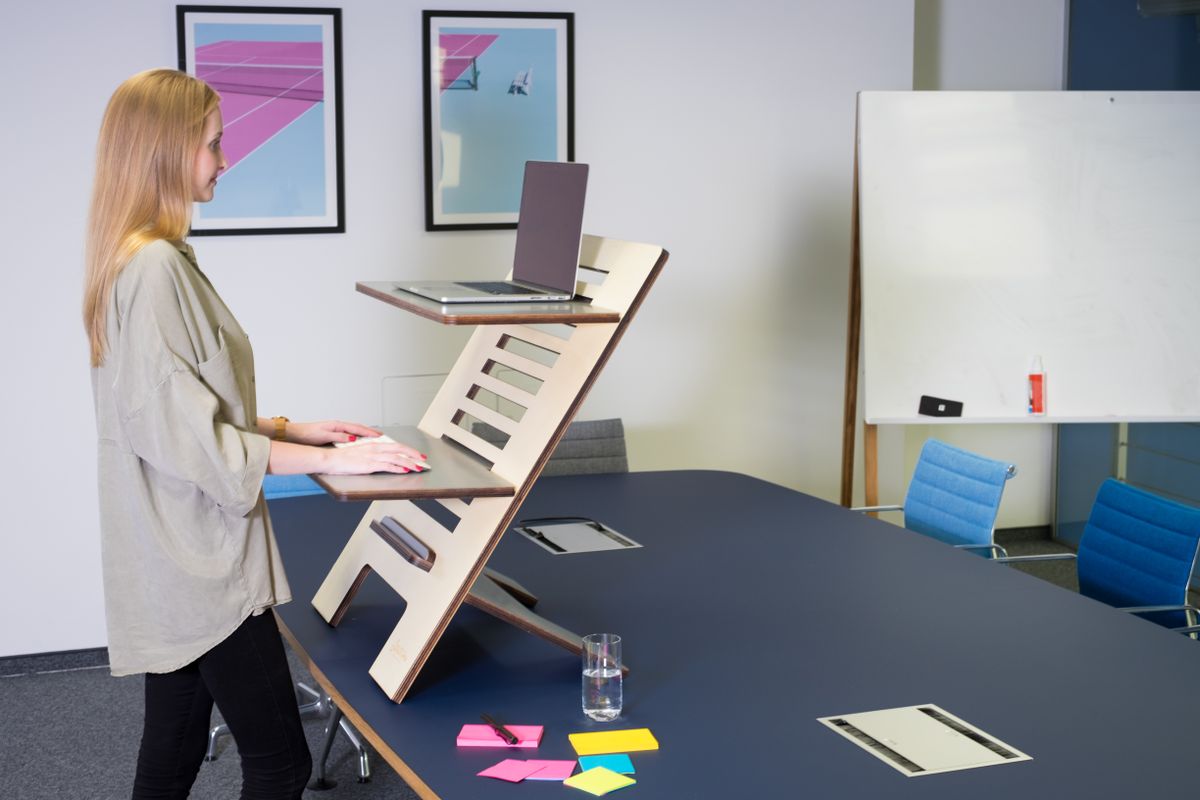
Standing Desk vs Sitting Desk: What Is the Real Difference?
A sitting desk is fixed at a seated working height, usually around 720 to 750 mm. A standing desk sits higher, suited to working on your feet. The practical difference is movement: one locks you into a chair, the other keeps you upright, and an adjustable model lets you move between the two.
The key point is that your body is built for variety, not for one static position. Research summarised by Mayo Clinic analysed 13 studies covering data from more than one million people and found clear links between long sitting hours and poorer health outcomes (Mayo Clinic, 2024). That scale of evidence is why the question has moved from "which desk" to "how do I avoid staying still."
So when you compare the two, you are really comparing how easily each option lets you change posture during the day. That single idea runs through every section below.
What Are the Health Benefits and Drawbacks of Sitting?
Prolonged sitting with no movement carries a measurable health cost. Mayo Clinic reports that people who sat for more than eight hours a day with no physical activity had a risk of dying similar to the risks posed by obesity and smoking (Mayo Clinic, 2024). That is a strong reason to break up long seated stretches.
Sitting itself is not the enemy. A good seated position supports detailed, focused work and takes load off your legs and feet. Problems start when hours pass without a break.
Drawbacks of sitting for long unbroken periods include:
- Stiffness through the hips and lower back
- Reduced circulation in the legs
- A tendency to slump as concentration drops
- Less incidental movement across the day
The answer is simple: sit well and get up often. A supportive chair matters here. Our guide to an ergonomic home office setup that protects your back covers seat height, lumbar support and screen position in detail.
What Are the Health Benefits and Drawbacks of Standing?
Standing to work keeps you upright, engages more muscles and makes it easier to shift your weight and move. For people who feel stiff after hours in a chair, a spell on their feet can bring welcome relief. Standing also tends to discourage the deep slump that creeps in during long seated sessions.
Standing is not a free pass, though. Standing still for hours brings its own problems:
- Aching feet, knees and lower back
- Swelling in the legs over long periods
- Fatigue that creeps up and hurts concentration
- Pressure on joints if you stand on a hard floor without support
An anti-fatigue mat and supportive footwear help a great deal. So does treating standing the same way you should treat sitting: in spells, not marathons. Standing desks do not cure pain or replace medical advice. What they offer is an easy way to add movement and variety to a working day that would otherwise be spent in a chair.
Why Height-Adjustable Desks Are the Best of Both
If movement is the goal, a height-adjustable desk is the most direct way to get it, which is why adjustable desks have become the default recommendation for mixed office work. You raise the top to stand, lower it to sit, and switch whenever your body asks for a change. One desk, both positions, no compromise.
Mayo Clinic notes that 60 to 75 minutes of moderately intense physical activity a day countered the effects of too much sitting (Mayo Clinic, 2024). An adjustable desk will not replace proper exercise, but it does make it far easier to break up sedentary hours without leaving your work.

There are two main types to know about:
- Manual or crank desks. You wind a handle to change height. Lower cost, no cables, slower to adjust. Fine for a single user who changes position a few times a day.
- Electric sit-stand desks. A motor raises and lowers the top at the push of a button. Quick and effortless, often with memory settings for saved heights. Better for shared desks and frequent switching.
A third option suits tight budgets: a desktop converter that sits on an existing desk and lifts your screen and keyboard. It costs less and needs no new desk, but it offers a smaller work surface and can feel less stable than a full sit-stand frame.
How Do Sitting and Standing Compare for Productivity and Comfort?
Comfort and output depend less on the desk and more on how often you move. Sitting suits deep, detailed tasks; standing suits short bursts, calls and quick jobs. Alternating between the two across a full day keeps energy steadier than locking into either one.
Think about a typical working day rather than a single hour. Early morning admin and careful spreadsheet work often feel easier seated. A mid-morning run of phone calls can be done standing. After lunch, when energy dips and the urge to slump is strongest, standing for a while helps you stay alert. Late afternoon detailed work may send you back to the chair.
A rough pattern many people settle into:
- Sit for focused reading, writing and precise mouse work
- Stand for calls, email triage and short tasks
- Switch at natural breaks, roughly every 30 to 60 minutes
- Never force a position that feels uncomfortable
The comfort of the chair still matters even with a standing desk, because you will spend part of the day seated. If you are choosing a chair at the same time, our roundup of the best executive office chairs for a professional workspace is a good starting point, and mesh models are worth a look for warmer offices.
How Do the Costs Compare?
A fixed sitting desk is the cheapest option, a manual adjustable desk costs more, and an electric sit-stand desk sits at the top of the range. The gap is the price of convenience: faster, effortless height changes cost more than a crank handle or a fixed top.
Prices move with size, finish, frame quality and motor type, so treat these as a general order rather than fixed figures. Shown in rand and typically quoted excluding VAT unless a page states otherwise:
- Fixed sitting desk. Lowest entry cost; the widest choice of sizes and finishes.
- Manual crank adjustable desk. A step up, with no motor to buy or maintain.
- Electric sit-stand desk. The highest cost, justified by quick, repeatable adjustment and memory presets.
- Desktop converter. A low-cost way to add standing to a desk you already own.
Look past the sticker price to the whole setup. The desk is one line item. A supportive chair, a monitor arm, an anti-fatigue mat and cable management all affect comfort and cost. For a new workplace, it helps to plan the full list up front; our office supplies checklist for starting a new business is a useful companion when you are budgeting from scratch.
For offices buying in volume, the maths changes again. Bulk and tender orders can be quoted as a package across desks, chairs and storage, which usually works out better than buying piece by piece.
How Much Space Does Each Desk Need?
The floor space a desk needs comes down to its top size, not whether it sits or stands. A sit-stand desk has a similar footprint to a fixed desk of the same width and depth. The difference is vertical clearance and cable travel, not extra floor area.
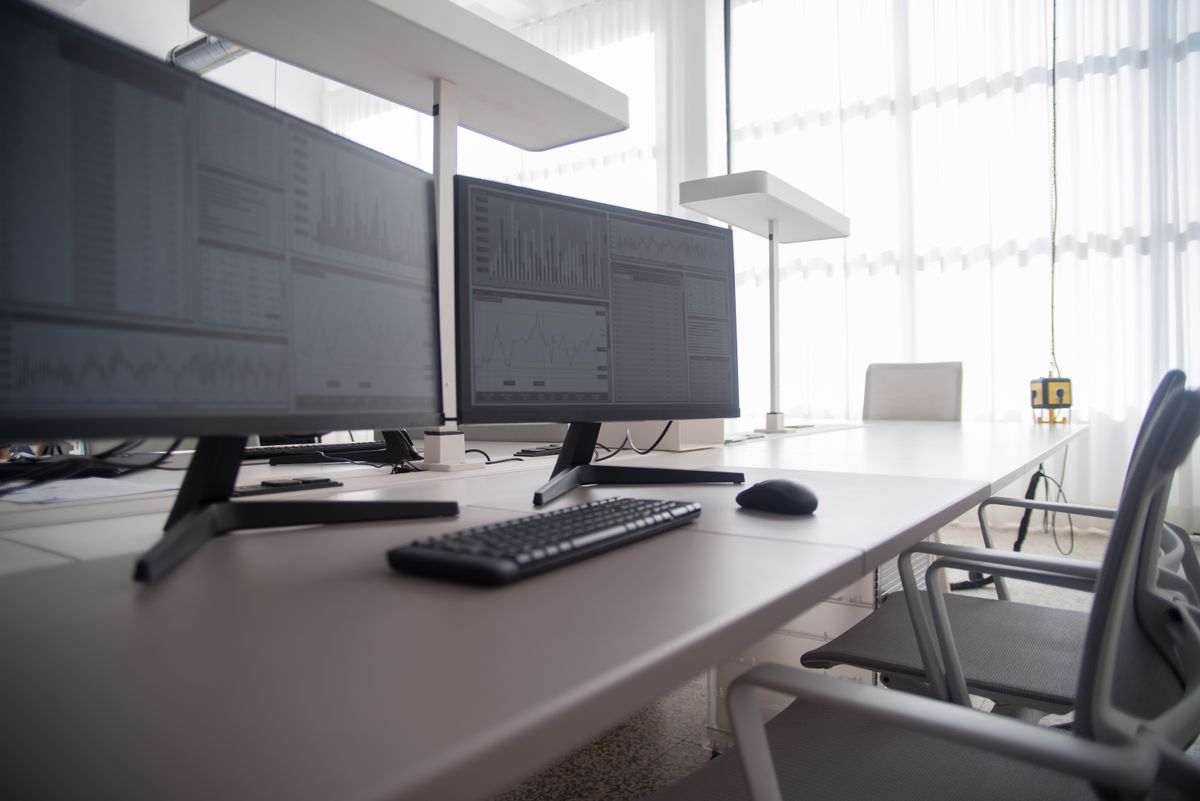
A few space points worth checking before you buy:
- Height clearance. Make sure a raised desk will not meet a low shelf, window ledge or sloped ceiling.
- Cable length. Leave enough slack so power and data cables travel freely as the top rises. A cable tray or spine keeps them tidy.
- Chair access. You still need room to roll the chair back, even if you stand part of the day.
- Walkways. Keep clear routes around desks for safety and easy cleaning.
In open-plan offices, adjustable desks at different heights can look untidy if frames and tops are mismatched. Choosing a single desk range across the floor keeps the look consistent while still letting each person set their own height.
Which Desk Should You Choose? Buying Tips by Role
Match the desk to the job. Heavy paperwork and fixed-screen roles do well with a quality sitting desk; mixed desk work benefits from an adjustable one; shared workstations are best served by electric sit-stand models with memory settings. Start from how the person actually works, then pick the desk.
Quick guide by situation:
- Home office and remote workers. An adjustable desk earns its keep when the desk doubles as your only workspace all day. If the budget is tight, a desktop converter plus a good chair is a sensible first step.
- Small business and startup offices. Fit out with adjustable desks where you can; they suit a range of staff and adapt as the team changes.
- Call centres and admin-heavy teams. Electric sit-stand desks with presets handle shift changes and shared seating well.
- Reception and front-of-house. Staff who stand to greet visitors often prefer a standing-height counter with a stool for quieter spells.
- Schools and training centres. Fixed, sturdy desks usually win on durability and budget; our school furniture buying guide for SA classrooms covers the trade-offs.
Whatever the role, buy the desk and the chair together. A standing desk cannot fix a poor chair, and a good chair cannot fix hours without movement. The two work as a pair.
What to Check Before You Buy a Standing or Adjustable Desk
Before you order, confirm the practical details that decide whether a desk suits your space and your people. Check the height range, the top size, the weight it must carry, and the stability at full height. These four points matter more than the feature list on the box.
A short pre-purchase checklist:
- Height range. Does it suit the tallest and shortest users who will share it?
- Top size. Enough room for your monitors, keyboard and paperwork?
- Load rating. Can it carry your screens and equipment comfortably?
- Stability. Does it stay steady at full standing height?
- Adjustment type. Manual for cost, electric for ease and shared use.
- Delivery and lead time. Confirm the quote, delivery charge and lead time for your area before you commit.
We are an online supplier; our offices are in Centurion and we do not have a showroom. If you are unsure which model fits, send us your product list or a short project brief and our team will help with selection, a formal quotation and dependable countrywide delivery.
How Do You Set Up Either Desk Correctly?
A desk only helps if the setup around it is right. The main rules hold whether you sit or stand: screen at eye level, elbows roughly at a right angle, wrists straight, and feet supported. Get these four right and both positions feel better.
Work through the setup in order:
- Screen height. The top of the monitor should sit at or just below eye level, about an arm's length away. A monitor arm makes this easy to fine-tune and frees up desk space.
- Elbow angle. Set the surface so your forearms are level and your elbows bend at roughly 90 degrees while typing. On an adjustable desk, set this height for both sitting and standing.
- Wrist position. Keep wrists straight, not bent up or down. A keyboard close to the desk edge helps.
- Feet. When seated, feet flat on the floor or on a footrest. When standing, weight even across both feet, with a mat underfoot.
Dual screens need a wider top and careful placement so you are not twisting your neck. Centre your main screen and angle the second one in. If several people share a desk, write down each person's saved heights or use the memory presets on an electric model so nobody works at the wrong height by default.
How Long Do These Desks Last, and How Do You Care for Them?
Durability comes down to the frame, the top material and the moving parts. A solid steel or heavy-gauge frame lasts longest, melamine and laminate tops resist daily knocks well, and on powered desks the motor and controller are the parts most likely to need attention over time. Buy on build quality, not just looks.
Simple care keeps any desk working longer:
- Wipe tops with a damp cloth and mild cleaner; avoid harsh solvents on laminate.
- Check fixings now and then and tighten any that have worked loose.
- Keep the mechanism clear on sit-stand desks so nothing jams the frame as it moves.
- Manage cables so they never snag or stretch through the full height range.
- Respect the load rating rather than overloading the top with heavy equipment.
For shared and heavily used desks, a sturdier frame and a quality top pay for themselves over the years. Pair the desk with proper storage so the surface stays clear; steel cupboards, pedestals and shelving keep clutter off the top and reduce wear. When you plan a fit-out, think about the desk, chair, storage and screen together as one working station rather than separate purchases.
Making the Call for Your Workplace
Pick the desk that makes movement easy for the way your team works, then pair it with a chair that supports the hours they sit. For most mixed office roles, an adjustable desk is the safe choice because it removes the need to decide between sitting and standing at all. For fixed, paperwork-heavy roles or tight budgets, a solid sitting desk with a supportive chair still does the job well.
Ready to fit out a desk, a room or a whole floor? Compare desks and chairs online, or send us your product list and we will put together a quotation and arrange delivery across South Africa.
Frequently asked questions
Is a standing desk better than a sitting desk?
Neither is better on its own. The benefit comes from switching between sitting and standing through the day. A height-adjustable desk lets you do both, which is why most buyers prefer one over a fixed-height desk.
How long should you stand at a standing desk each day?
Start with short spells of 20 to 30 minutes and build up. Many people aim for a rough balance across the day, sitting and standing in turns, rather than standing for hours at a stretch.
Are adjustable desks worth the extra cost?
For most office roles, yes. An adjustable desk removes the need to choose between sitting and standing, suits more than one user, and tends to stay useful longer than a fixed desk as needs change.
Do standing desks help with back pain?
Standing desks do not treat or cure pain. Changing posture regularly can ease the discomfort some people feel from long periods of sitting, but results vary. Pair any desk with a supportive chair and a sensible setup.
How much space does a sit-stand desk need?
The footprint is similar to a normal desk of the same top size. Allow clearance above for the raised height and keep cables managed so they travel freely as the desk moves up and down.